How Does Logistics App Development Work in 2026?

Logistics app development in 2026 usually means combining route planning, real-time tracking and automation in one tool that drivers, warehouse managers and customers all use.
This guide covers who needs logistics software, what a build involves and which AI features are already in production.
What is logistics software, and who actually needs it?
Logistics software is any application that helps a business plan, track and manage the movement of goods. It is not limited to haulage firms: carriers, manufacturers, retailers and couriers all use some version of it.
Logistics software development makes each step of moving a shipment from A to B visible and easier to manage.
Factories and workshops use it to schedule outbound shipments. Retailers use it to promise and meet delivery windows. Carriers use it to keep vehicles loaded rather than running half empty. Customers use it to see where their order is.
In short, almost any business that ships, receives or subcontracts freight can use a logistics app.
Talk to our engineers to work out where a logistics app would pay for itself in your business.
Types of logistics apps worth knowing about
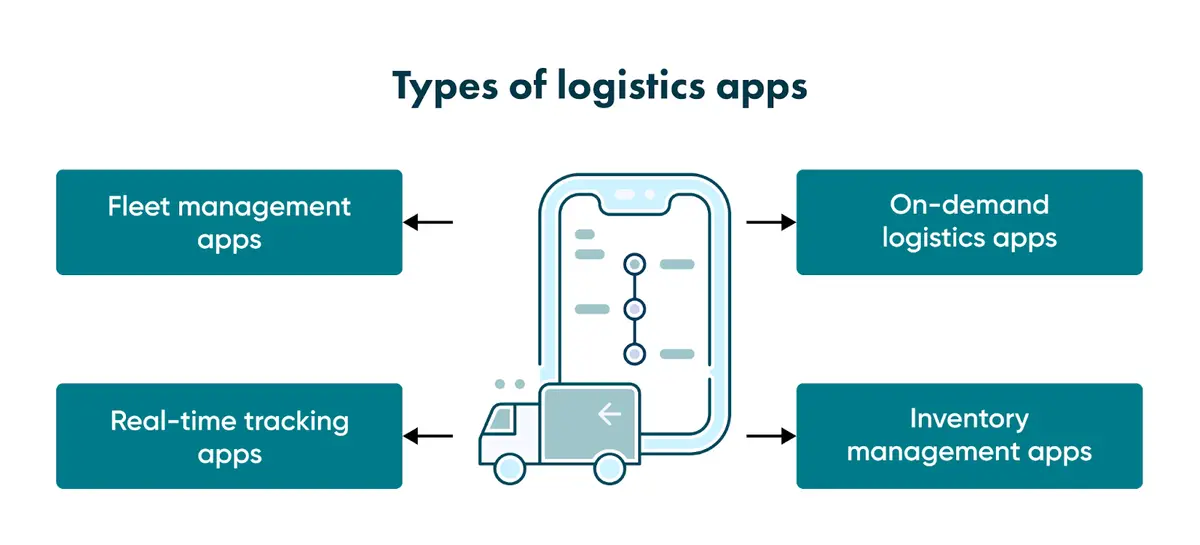
Most logistics software fits one of four categories. Knowing which one matches your problem helps keep the scope under control.
Fleet management apps
Fleet management apps suit transport companies running vans, trucks or buses. Dispatchers see live vehicle data (location, fuel use, maintenance status and driver hours) as it happens rather than at the end of the shift.
On-demand logistics apps
On-demand apps work like rideshare platforms for cargo. A customer requests a delivery, the system matches it to the nearest available driver, and both sides track progress until it lands.
Real-time tracking apps
Tracking apps give managers, drivers and customers the same view of where a shipment is. In 2025 Maersk began rolling out a new IoT connectivity platform across 450 vessels, moving from 2G to 4G so that cargo location and condition data can be updated more often. In May 2025 the company said the rollout was on track to finish in the first quarter of 2026. Tracking apps for road transport follow the same logic on a smaller scale.
Inventory management apps
A single warehouse can hold hundreds of thousands of items. Inventory apps track each one from goods-in to goods-out, so staff do not have to rely on an out-of-date spreadsheet.
Benefits of logistics applications
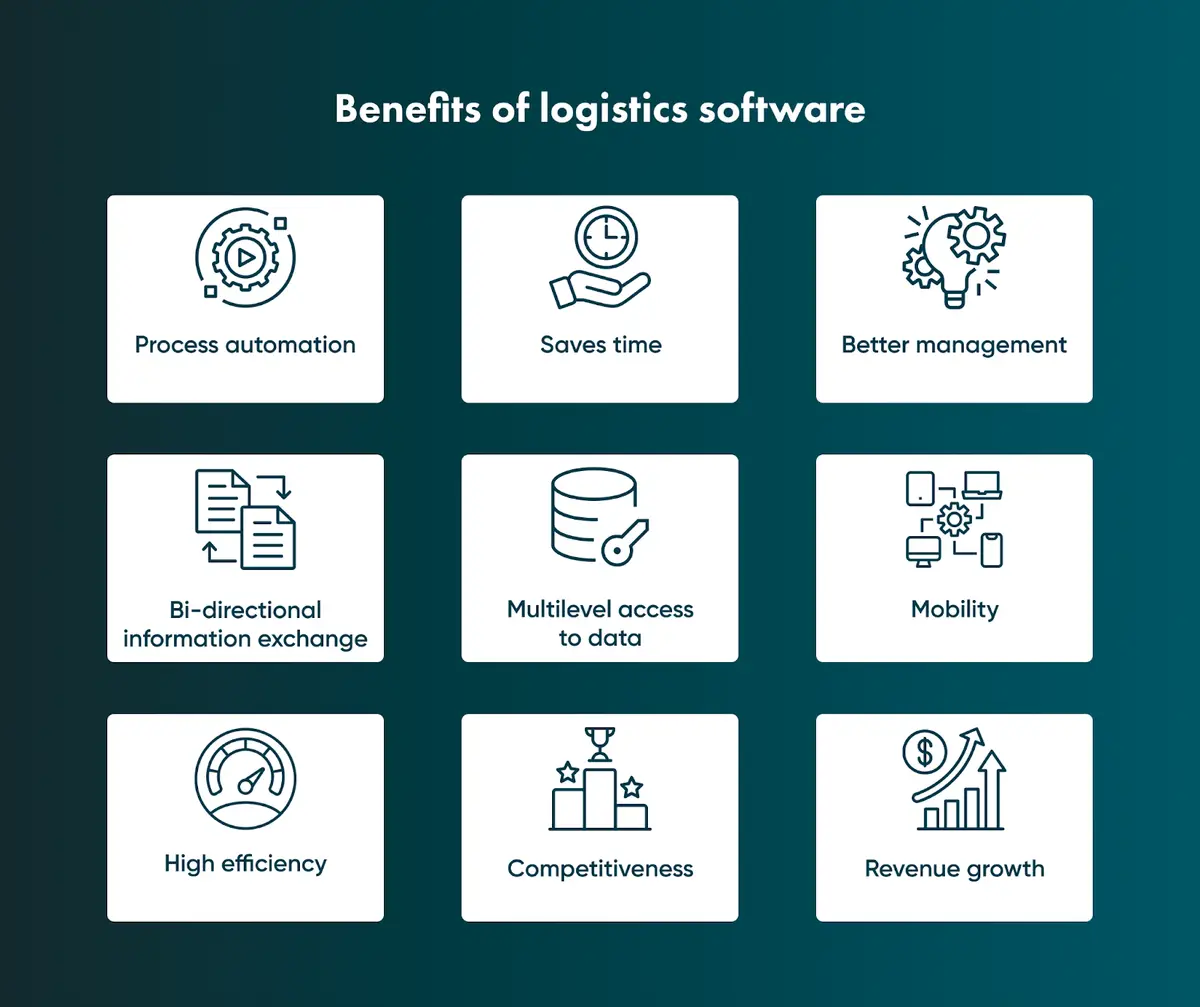
Logistics software pays off when it is built around a real workflow rather than a generic template.
Smarter routing and lower costs. UPS's ORION algorithm cuts around 100 million miles from delivery routes every year and saves the company an estimated $300 to $400 million annually in fuel and time. Few businesses work at UPS's scale, but small routing improvements add up across thousands of trips for a regional haulier too.
Process automation removes manual steps from dispatch, invoicing and reporting, so the same team can handle more work. With accurate data, warehouse stock, driver schedules and supply chain handoffs are also easier to plan.
Multilevel access lets a business decide who sees what: a driver does not need a finance manager's view, and a customer should see even less. Mobile access lets a manager travelling between depots approve a delivery exception or check a driver's location.
AI and automation in logistics: what is in production in 2026
DHL Freight's logistics trends article for 2025 says AI is already part of day-to-day operations at many logistics companies. It names AI-optimised route planning as a major efficiency driver and expects AI forecasts to play a growing role in demand planning, alongside more autonomous warehouse robots and smart packaging that reports location data.
Adding AI to a logistics app is rarely plug-and-play. In production it usually means training models on your own freight lanes, seasonal patterns and customer behaviour, which takes engineering time.
The practical use cases are predictive maintenance alerts from vehicle sensor data, re-routing when traffic or weather changes mid-delivery, and demand forecasting that adjusts staffing and stock levels. Machine learning of this kind needs your own operational data, not a generic dataset.
A discovery session helps decide which of these AI features are worth building for your operation.
Critical modules a logistics platform should contain
Few businesses need every module below. Start with the ones that address your main bottleneck and leave the rest for a later phase.
ERP system
An ERP module handles daily operations such as purchasing and accounting. It can run standalone, but integrating it with the logistics app gives every department the same data.
Warehouse management system
A warehouse management system tracks inventory and coordinates arrivals, picking and dispatch. It is often the module to build first, because errors here carry through to delivery estimates and everything after them.
Fleet management and tracking
This module keeps every vehicle and shipment visible in one place. Without live tracking data, coordinating a large fleet is guesswork.
Data analytics
A data analytics module turns operational data into productivity reports, so a manager can compare this month with last month instead of guessing.
Primary features to plan for
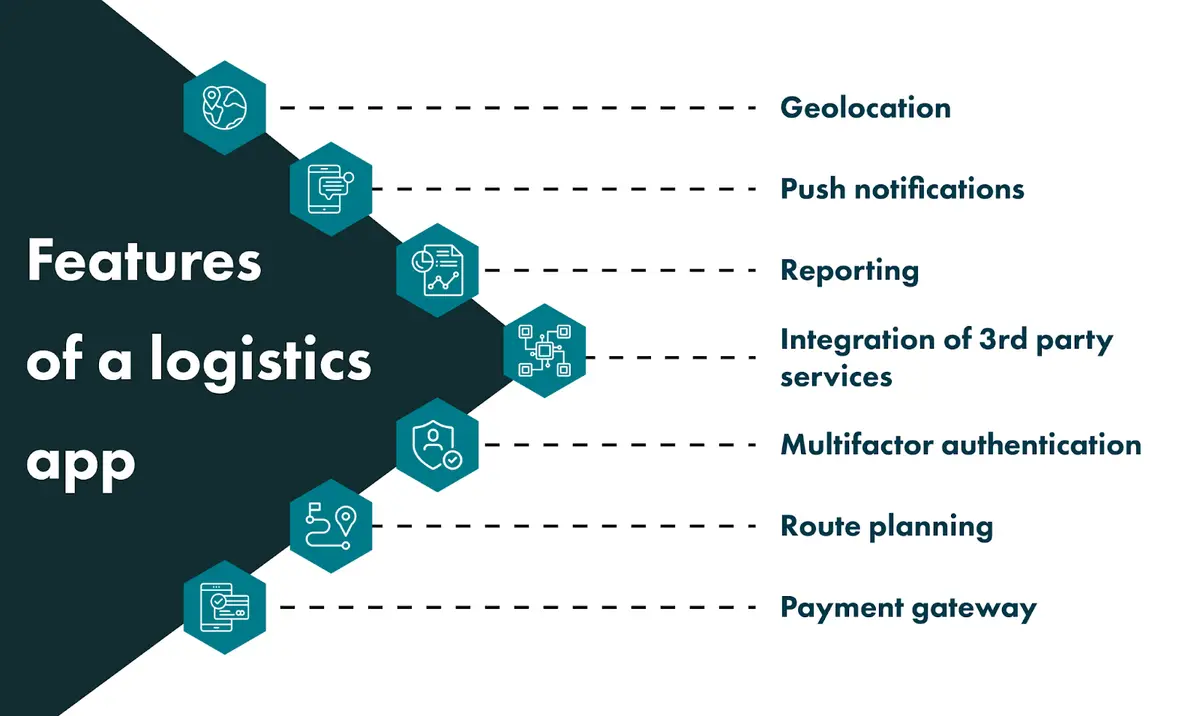
The feature list depends on the app and the business, but these come up in most builds.
Geolocation
Real-time location data shows the driver, manager and customer where a shipment is on its route, so nobody has to phone the depot.
Push notifications
Status changes and delays should reach the right person the moment they happen, not in a batch email at 5 pm.
Cost and delivery calculation
Clients want the price and delivery time before they commit. The calculator can follow your pricing model: flat-rate, distance-based or with fuel surcharges.
Reporting
Searchable reports cut the time staff spend looking for information.
Third-party integration and security
Integration with existing ERP and accounting systems avoids entering the same data twice. These systems often hold commercially sensitive routing and client data, so protect access with multifactor authentication.
Route planning and payments
A navigation layer, often built on a mapping service, calculates the shortest workable route. Payment gateways such as Stripe, Braintree or PayPal let clients pay in the same app they use to track the shipment.
Building a logistics app: the step-by-step process
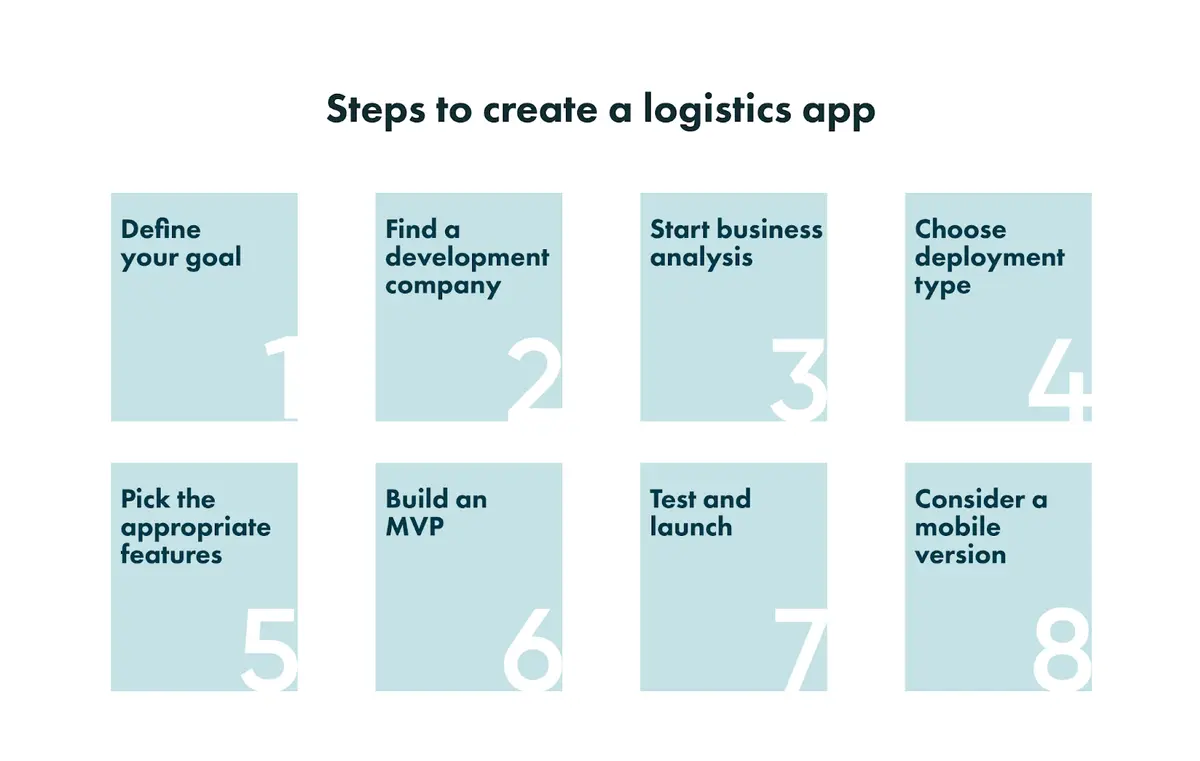
1. Map out your goals
Define what the app needs to do and for whom. Unclear goals are a common reason for logistics builds to run over budget.
2. Find a development partner you trust
Check vendors' verified reviews on platforms such as Clutch (see Go Wombat's Clutch profile) and read how outsourcing works before you sign a contract.
3. Run a discovery and business analysis phase
A discovery phase covers market research, risk analysis, requirements gathering and project planning before development starts. It is the cheapest point at which to catch mistakes.
4. Choose a deployment type
Cloud deployment is the usual choice: the provider manages the infrastructure and it scales quickly. On-premise suits companies with strict data residency requirements, and hybrid setups combine the two.
5. Select the features that matter
Choose features with your development team against the goals from step 1. Features nobody uses add to both the budget and the timeline.
6. Build an MVP
An MVP tests the core idea with a minimal working version before you commit to the full build. It is the cheapest way to find out whether an assumption was wrong. Keep its scope tight, or the timeline will slip.
7. Test properly before launch
Every version, MVP or full release, needs QA testing before it reaches drivers or customers. Otherwise the first bug report comes from a driver stuck with a broken app.
8. Make it mobile-friendly from day one
Drivers work from their phones, and many customers track shipments on mobile too, so plan a cross-platform mobile app for iOS and Android from the start.
Key takeaways
Build the modules that address your biggest bottleneck first. Real-time tracking, AI-assisted routing and accurate warehouse data pay off when they match how your business moves goods; the rest can follow in later phases.
Frequently asked questions
What is logistics software?
Logistics software is any application that helps a business plan, track, and manage the movement of goods, from a single delivery app to a full warehouse and fleet management platform.
How do you develop a logistics app?
The process runs from goal-setting and choosing a development partner through discovery, deployment planning, feature selection, MVP testing, and full QA before launch. Most builds take several months, depending on the scope.
How much does a logistics app cost to build?
Cost depends mainly on the number of modules, integrations with existing systems and any AI features. An MVP with core tracking and dispatch costs far less than a full platform with ERP, AI-driven routing and multi-region deployment.
How is AI actually used in logistics in 2026?
The main practical uses are predictive maintenance, dynamic re-routing and demand forecasting. Route optimisation already runs in production at large carriers; UPS's ORION is the best-documented example.
Do you need an MVP before building the full app?
Not always, but it is the cheaper route if there is any uncertainty about which features matter most. An MVP tests the core assumption before the full budget is committed.
What's the difference between a logistics app and a full transportation management system?
A logistics app usually solves one or two specific problems, such as tracking or dispatch. A transportation management system (TMS) is broader, covering planning, execution, and settlement across an entire freight operation.
Share and subscribe to our blog
Related articles

Project Discovery Phase in Software Development
What a discovery phase is, when you need one, who takes part, what it delivers, and what happens when a software project skips it.

How to Outsource
The benefits and risks of IT outsourcing: access to talent, cost, speed and flexibility, and how to manage hidden costs, control, communication and legal risks.

Why Is the Digital Twin of an Oil Refinery the Most Complex AI System You Will Ever Build?
Why a digital twin of an oil refinery is so hard to build: seven interdependent layers from physics simulation to control system integration, results from Cosmo Oil's refinery digital twin, a look at Honeywell's planned digital-twin work at the Dangote refinery, team and data prerequisites, and why projects fail.

How can we help you ?