The Importance of Cybersecurity

Data leaks have become common, and the importance of cybersecurity has grown with them. Protecting your own devices keeps your personal information safe, but businesses need cybersecurity just as much, and not everyone knows what it covers or how to apply it properly.
This article explains what cybersecurity is and why it matters, how businesses benefit from it, the most common types of attacks, and how to protect your business against them.
What is cybersecurity?
Cybersecurity is the set of practices that protect digital services, networks and software from attacks. Attacks on online businesses have become more frequent, from personal data theft and stolen funds to destroyed websites.
It works on the same principle as physical security: protect people and their systems. Offline, you can install locks, window bars and alarms. Online, attackers have many more ways in, and they can even persuade you to hand over confidential data without realising you are being defrauded.
Why is cybersecurity important?
Cybersecurity Ventures estimated that cybercrime would cost the world US$6 trillion in 2021 and projected US$10.5 trillion a year by 2025. These are extrapolated forecasts, not measured losses.
Military, government, financial and corporate organisations store large amounts of sensitive data that must not reach unauthorised users, and businesses constantly send confidential information across networks and devices. Cybersecurity protects that information. With new rules and regulations (e.g. GDPR), companies of all sizes need to consider their staff and clients’ personal data.
Companies should therefore make sure that unauthorised users cannot access sensitive information.
To check whether your software is secure enough, contact us. We will analyse it and advise on better protection.
How your business can benefit from cybersecurity integration
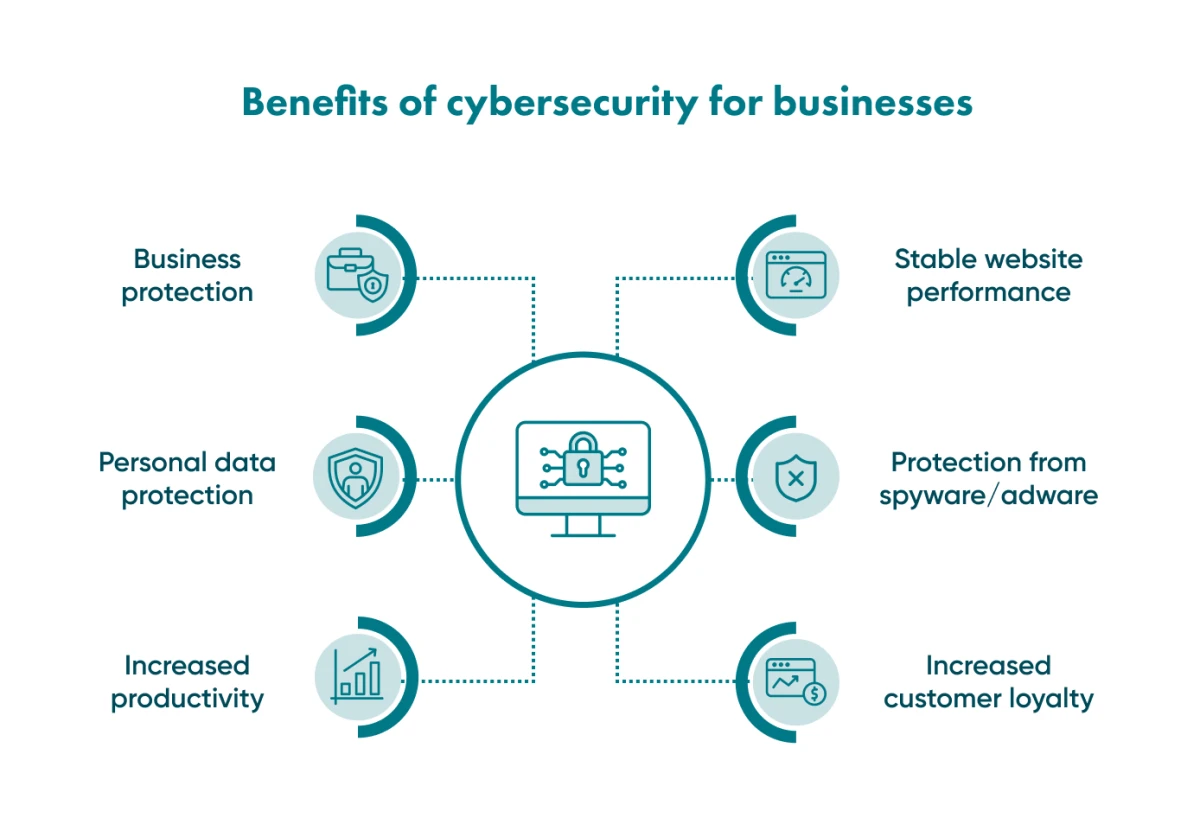
The main benefits for a business:
Business protection
Cybersecurity protects the business from financial losses and keeps your website or mobile app safe for you and your customers.
Personal data protection
Many types of malware are designed to steal personal information and sell it. Antivirus software and firewalls help protect customers' data from theft.
Increased productivity
Viruses and worms can slow down the internal network and individual computers. Security measures prevent this.
Stable website performance
A large-scale attack can take your website down, which hurts both you and your customers. Security measures prepare the site to withstand such attacks.
Protection against spyware
Spyware is malware that runs in the background and sends your data to attackers, often without any noticeable signs. A firewall helps by blocking suspicious connections, but it works best together with antivirus software and regular updates.
Adware isn't welcome either
Adware is more than an annoyance: it can carry malicious redirects. Block it on company devices.
Increased customer loyalty
Customers who know their data is protected trust you more and stay loyal.
Common types of cybersecurity attacks
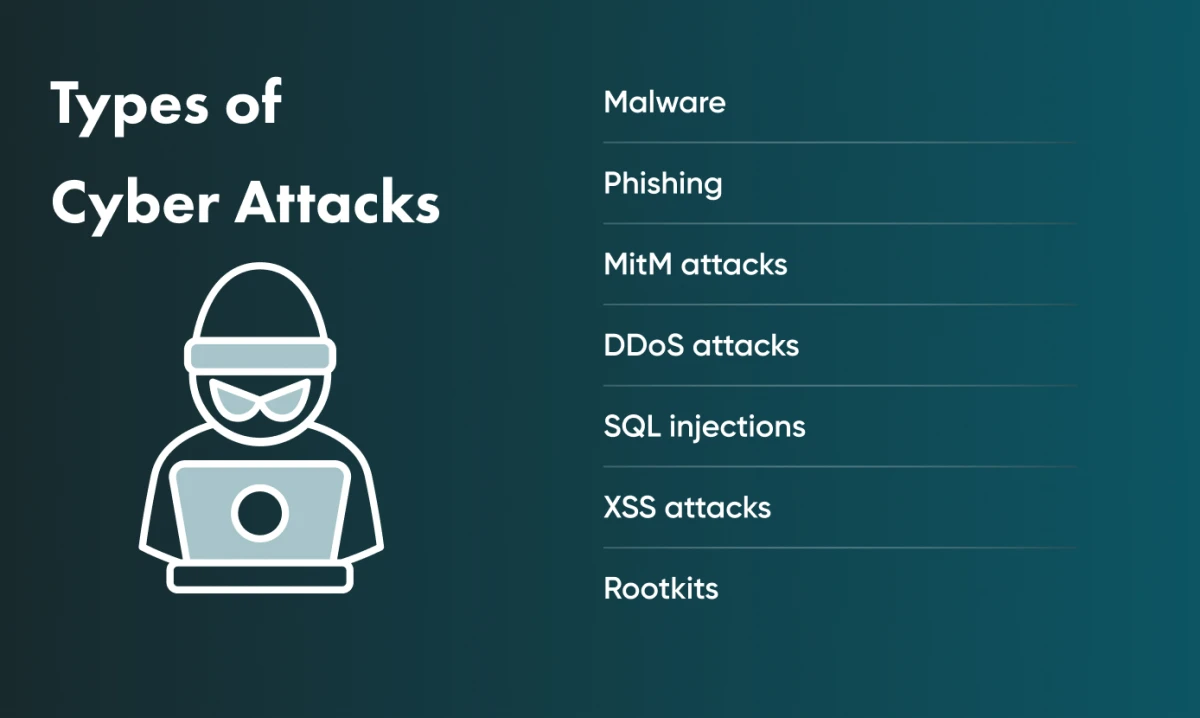
Knowing how the most common attacks work is the first step to defending against them.
Malware
Malware is any malicious software. It includes viruses; trojans, which pose as legitimate software to give attackers control; and worms, which spread from device to device on their own and can delete files or slow systems down. Ransomware encrypts or blocks your data, and attackers demand money to restore it or threaten to delete or publish it. Spyware runs in the background and steals sensitive data from your device.
Phishing
Phishing, a play on “fishing”, tricks users into sharing credentials or other valuable information. Most phishing arrives by email: the message asks you to click a link and enter your login details, which attackers then use, for example to empty a bank account. Voice phishing (vishing, by phone) and SMS phishing work the same way.
MitM attacks
In a man-in-the-middle (MitM) attack, criminals secretly intercept communication between two parties. They can read or alter the messages, for example to trick a user into sharing sensitive information.
DDoS attacks
A distributed denial-of-service (DDoS) attack floods your website or server with requests from many machines at once. A system that is not prepared cannot process them all and goes down.
SQL injections
SQL injection is a common attack on web applications. SQL (Structured Query Language) is the language applications use to work with relational databases. If an application builds database queries from user input without validation or parameterised queries, an attacker can inject SQL code through a form field or URL and read, change or delete data, and in some cases take control of the whole site.
XSS attack
In a cross-site scripting (XSS) attack, attackers inject malicious script into a page of a legitimate website. When a user opens the page, the script runs in their browser and can send their session data or credentials to the attackers. Because the site itself is trusted, users rarely notice.
Rootkits
A rootkit hides inside normal software or the operating system and gives attackers administrator-level access. With it, they can control the software or the whole system and collect passwords, logins, payment card data and other sensitive information.
Go Wombat offers cybersecurity consulting. Contact Go Wombat to build security into your software from the start.
Steps to protect your business from cybersecurity attacks
Update your software
Attackers sometimes find vulnerabilities before developers can patch them, so install updates as soon as they are released. Turn on automatic updates on every device and in the browser, and keep browser plugins up to date.
Use antiviruses and firewalls
Use reliable antivirus software on computers and mobile devices, and choose a product that fits your needs. Install only one antivirus program per device, because several can conflict.
A firewall filters traffic between your device or network and the internet and blocks connections that break its rules.
Set strong passwords
Passwords like “1111” or your birth date are easy to guess. Current NIST guidance (SP 800-63B) puts length before complexity: it recommends at least 15 characters when a password is the only authentication factor and tells services not to require a mix of character types. Use a password manager to generate and store long, unique passwords, and avoid any password that appears in lists of compromised passwords. A passphrase of several random words is also hard to crack.
Opt for multifactor authentication
With two-factor authentication, you enter your login and password and then confirm your identity with a second factor, such as your phone or biometrics (fingerprint or face recognition). Multifactor authentication can add further factors, and we consider it the most secure option.
Be suspicious
Phishing works because many people still do not recognise phishing emails. Do not open emails from unknown senders, and do not click a link until you have checked where it leads.
Reputable email providers scan for suspicious messages, but some still get through.
Be careful about PII disclosure
Personally identifiable information (PII) includes your name, address, age, date of birth, location and social security number. Social media makes it easy for attackers to collect such details, so share as little personal information there as possible and review your privacy settings.
Backup your data
Never keep all your data on one device. Keep at least three copies, on different devices and in cloud storage, and set up automatic backups so the copies stay current.
Be wary of free public Wi-Fi
You can use public Wi-Fi, but connect through a virtual private network (VPN) to encrypt your traffic. At home and in the office, protect Wi-Fi networks with a strong password.
How we adhere to cybersecurity at Go Wombat
At Go Wombat, a certified Chief Security Officer (CSO) is responsible for the security of the software we build. The CSO checks that it complies with the relevant regulations and security standards, tests it for vulnerabilities and applies current protection techniques.
Security is part of every project discussion from the start. Our CSO keeps his knowledge and certifications up to date so that we keep pace with new threats.
We can build your software with the security it needs and advise you on how to invest in cybersecurity wisely.
Contact us to discuss your project.
Share and subscribe to our blog
Related articles

How Can IoT Software Solutions Boost Your Business in 2026?
How IoT software works, the business models it enables, the opportunities it creates and the integration and security problems to plan for.

How to Outsource
The benefits and risks of IT outsourcing: access to talent, cost, speed and flexibility, and how to manage hidden costs, control, communication and legal risks.

Why Is the Digital Twin of an Oil Refinery the Most Complex AI System You Will Ever Build?
Why a digital twin of an oil refinery is so hard to build: seven interdependent layers from physics simulation to control system integration, results from Cosmo Oil's refinery digital twin, a look at Honeywell's planned digital-twin work at the Dangote refinery, team and data prerequisites, and why projects fail.

How can we help you?