Enterprise Resource Planning - An Effective Solution for Businesses

An Enterprise Resource Planning (ERP) system integrates processes such as production, operations, human resources and financial management. It is a single integrated software package with a common data model for all areas of the business, so teams work from the same data instead of reconciling spreadsheets.
An ERP becomes useful once several departments depend on the same data. Without one, operations tend to drift out of sync, and separate legacy systems get expensive to maintain.
The Effect of an ERP System
An ERP system coordinates processes across production, operations, finance, human resources (HR), purchasing and sales. It automates routine work and handles the storage and transmission of sensitive data. Because every department works from the same data, collaboration and decisions improve.
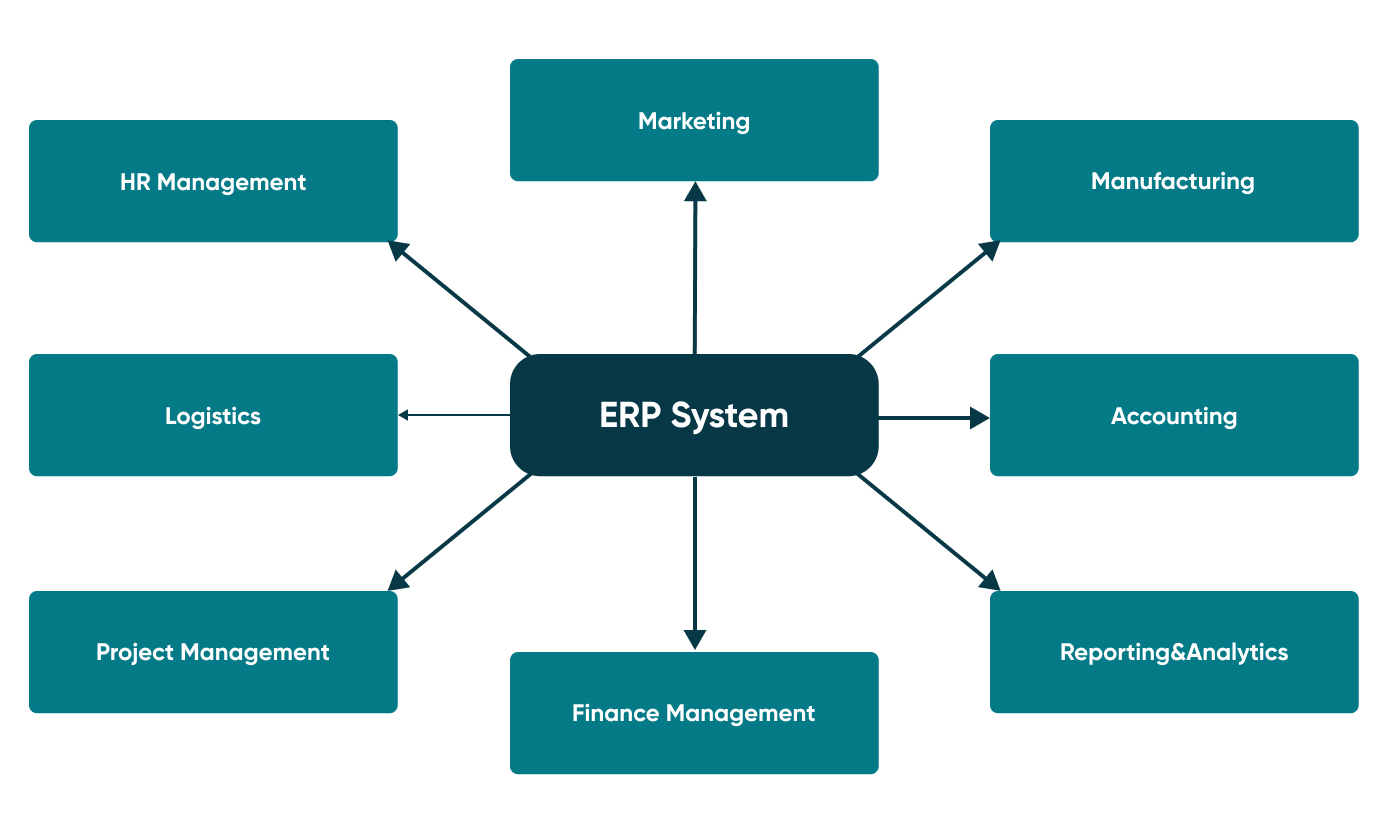
Here are the common problems an ERP system solves.
Inefficiency
Company data is often stored in several places, and staff spend time switching between applications to find it, even when each application is easy to use on its own.
An ERP system puts that data in a single store and gives the company’s divisions one shared process.
Conflicting Software Applications
Business applications often do not work well together: new accounting software may be incompatible with an old logistics system, for example. Conflicting software creates a risk of inaccurate data.
An ERP system integrates these functions in one centralised system with consistent data.
Information Access Problems
Gathering business information and building reports is slow when data sits in separate systems.
An ERP system uses a single database for all business processes, so reports draw on one source.
Outdated Manual Processes
Staff spend too much time entering data, copying it between systems and checking it.
An ERP system automates much of this work.
Complex IT Processes
Running the business on many separate applications means more updates and upgrades, and more things that can break after them.
A single centralised ERP system is easier to maintain. With a cloud-based ERP, the vendor releases updates, although you still need to test them and adapt your integrations and customisations.
Types of ERP Systems
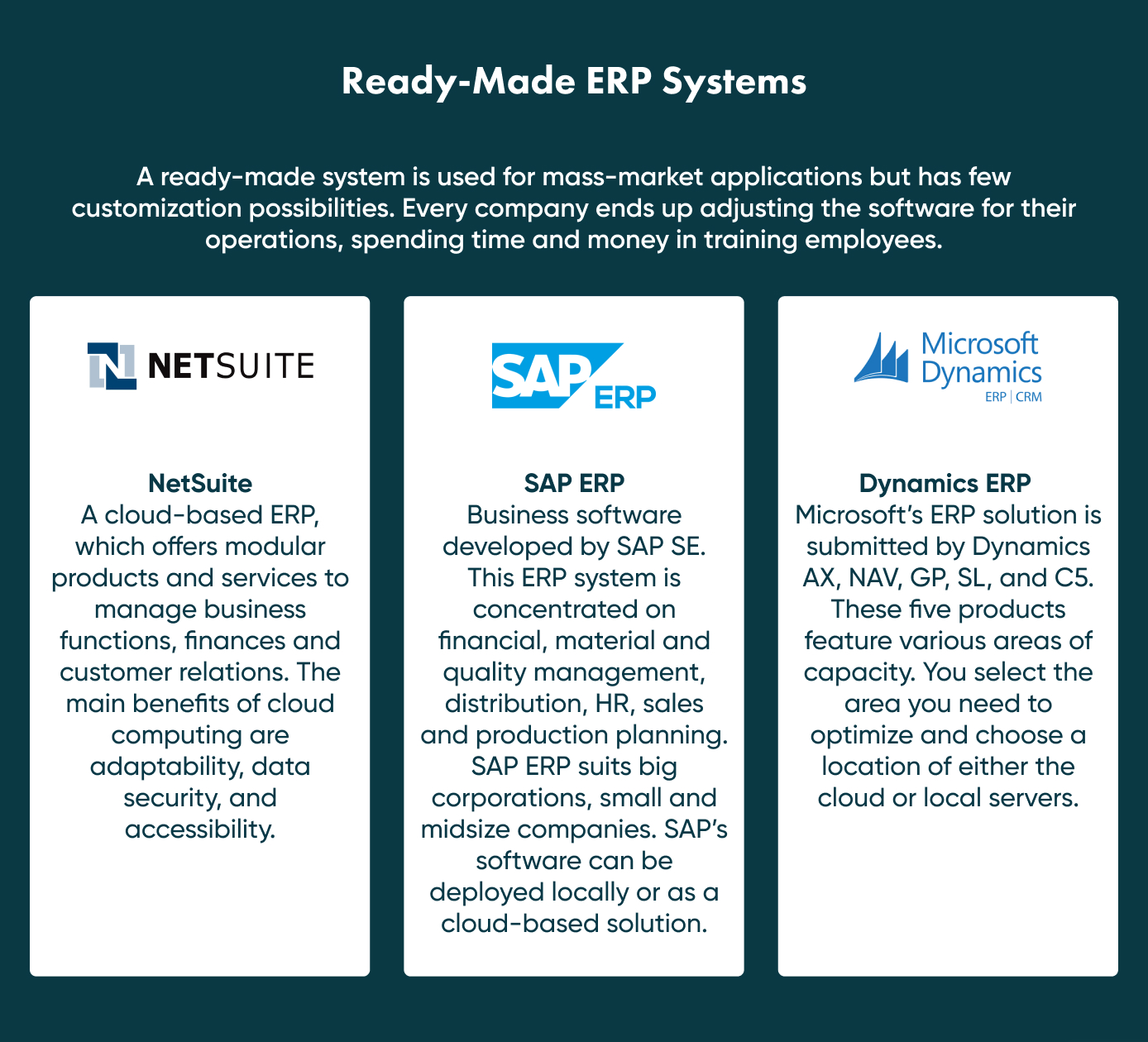
There are two main types of ERP systems: ready-made and custom-built.
A Custom-Built ERP System
A custom-built ERP system is created to suit a company’s specific processes and needs. It costs more than a ready-made system.
It can integrate with many applications, although integration with some existing software is not always possible. The contractor building it should analyse your business requirements and the current market, and build tooling that keeps the system up to date.
A custom-built system needs time for research and discovery, development and testing. The price depends on how complex the solution is.
Go Wombat’s ERP Expertise – Case Example
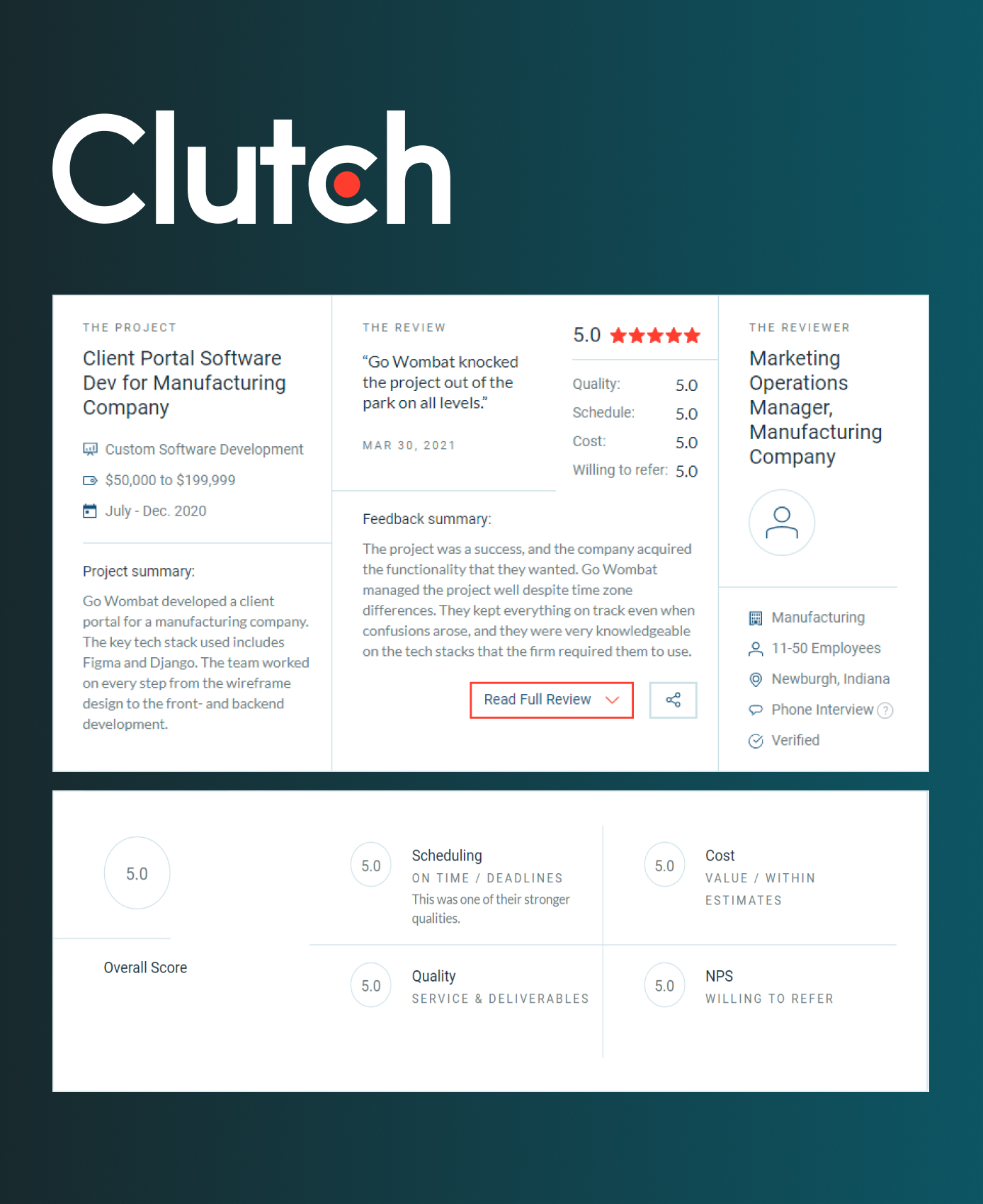
An example of our ERP work is a project for a large manufacturing company whose existing ERP system was outdated and slow.
The client needed to update the part of its ERP system that deals with distributors and dealers. The existing system took 20 minutes to process a request; the updated system takes 1 minute.
The new part is a web application that gives the company’s customers faster access to the information they need.
We built it in Python with Django and Django REST Framework (DRF). Python lets developers write and debug code quickly, which saves development time. Django is a high-level Python web framework with a lot built in, such as an ORM, migrations and an admin interface.
We deployed the software on AWS. Static HTML was served from an S3 bucket; the application ran on an EC2 server, with RDS and S3 for data storage and SES (Amazon Simple Email Service) for email. The front end was built with React and Redux-Saga.
A team of seven specialists worked on the project for 8 months, from the discovery phase to deployment.
The client, a US company, left a review of our work on our Clutch profile.
Choosing Go Wombat for ERP
We can replace one part of an ERP system at a time and integrate it with the existing system without breaking current processes, as we did in the project above.
Our tips on building an ERP system:
- Don’t build the entire ERP system at once.
- Start with the most important and beneficial part.
- Develop, test and launch each part separately, so that every part stays independent.
- Use a cloud server.
- Pay attention to data security.
Share and subscribe to our blog
Related articles

10 Key Software Development Trends In 2022
The software development trends we expected to matter most in 2022, from automation and AI to blockchain and PWAs, and what they mean for custom software.

Why Use a CRM System? 7 Reasons Businesses Can't Afford to Skip One in 2026
What a CRM system does, how CRM software changed by 2026, and seven reasons to use one, illustrated by the CRM platform Go Wombat built for Demco.

Five Proven Strategies To Automate Business Processes
What business process automation (BPA) is, what can and cannot be automated, five strategies for introducing it and the benefits to expect.

How can we help you ?