How to Secure CRM Software and Ensure Data Privacy

Customer relationship management (CRM) software holds exactly what attackers want: contact lists, deal values and payment details. This guide explains how to secure CRM software and ensure data privacy: the common threats and vulnerabilities, what a breach costs, and eight practices to follow.
A data breach can damage your reputation, bring legal and financial penalties and cost you your customers’ trust.
Most common CRM security risks and threats
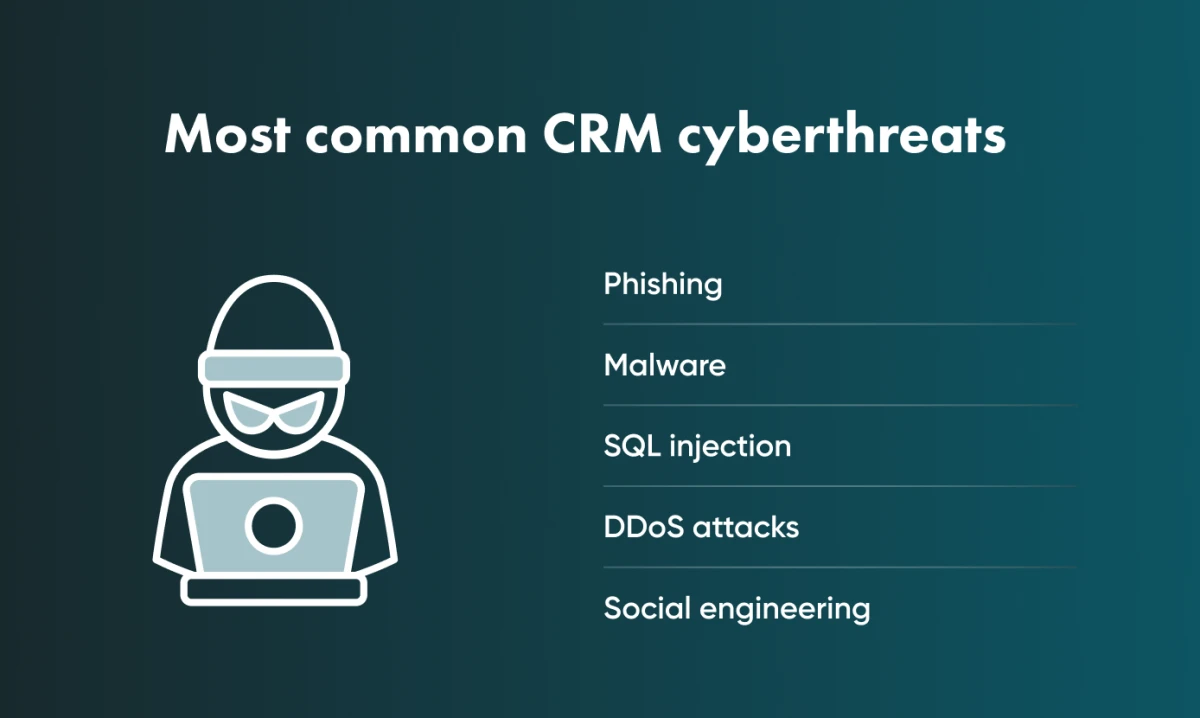
Several types of cyberattack can compromise the security and privacy of CRM data. The most common are:
Phishing
Phishing is one of the most common attacks on CRM users. It works because it exploits human behaviour, such as curiosity or fear.
Attackers send emails or messages that seem to come from a legitimate source, such as a trusted vendor or business partner, to trick users into revealing login credentials, financial data or other sensitive information.
Malware
Malware (malicious software) is designed to harm computer systems, steal data and disrupt normal operations.
In a CRM, it can lead to lost customer data, downtime and reputational damage.
Malware includes viruses, trojans and ransomware, which can be used to gain unauthorised access to CRM systems, steal data or lock users out until a ransom is paid.
SQL injections
SQL injection exploits vulnerabilities in the software behind a CRM system to gain unauthorised access to its database and steal or change data.
The attacker sends malicious SQL code as part of user input, such as a form submission or search query.
If the database executes that code, the attacker can view, modify or delete data in the CRM system.
Distributed Denial of Service (DDoS) attacks
A DDoS attack overwhelms a CRM system with traffic until it slows down, crashes or becomes unavailable to legitimate users.
The traffic usually comes from a botnet: a network of devices that the attacker has infected in advance and controls remotely.
Social engineering
Social engineering relies on human interaction: attackers trick users into revealing sensitive information or taking actions that compromise the CRM system.
For example, attackers can trick users into handing over customer names, addresses and payment details, or their own login credentials.
Social engineering is also used to spread malware through email attachments or links.
Read more about types of cyberthreats in our related article.
Common vulnerabilities in CRM systems
Several common vulnerabilities in CRM systems put data security and privacy at risk:
Weak authentication and access controls
Authentication verifies a user’s identity; access controls restrict what each user can reach in the CRM system.
When either is weak, attackers can gain unauthorised access to the CRM system, steal sensitive data or change information.
Lack of encryption
Encryption encodes information so that only authorised users with the right key can read it. Without it, attackers who get into the network or system can intercept and read sensitive CRM data.
In a CRM, encrypt at least personally identifiable information (PII), financial data and confidential business information.
Unencrypted data is exposed both to external attackers and to insiders, such as employees who gain unauthorised access to the CRM system.
Lack of updates and patches
Regular software updates and patches fix security vulnerabilities and protect against newly discovered threats.
Without them, systems stay open to known attacks.
Third-party integrations
Every third-party application or service you integrate with a CRM can introduce new vulnerabilities. Each integration is an additional access point, so make sure your providers follow strict security standards.
Insider threats
Employees, contractors or partners with authorised access can cause a breach, intentionally or by accident.
Assess and address these vulnerabilities regularly. Go Wombat can help you with this.
Contact Go Wombat if you need help securing your CRM data.
Consequences of a CRM data breach
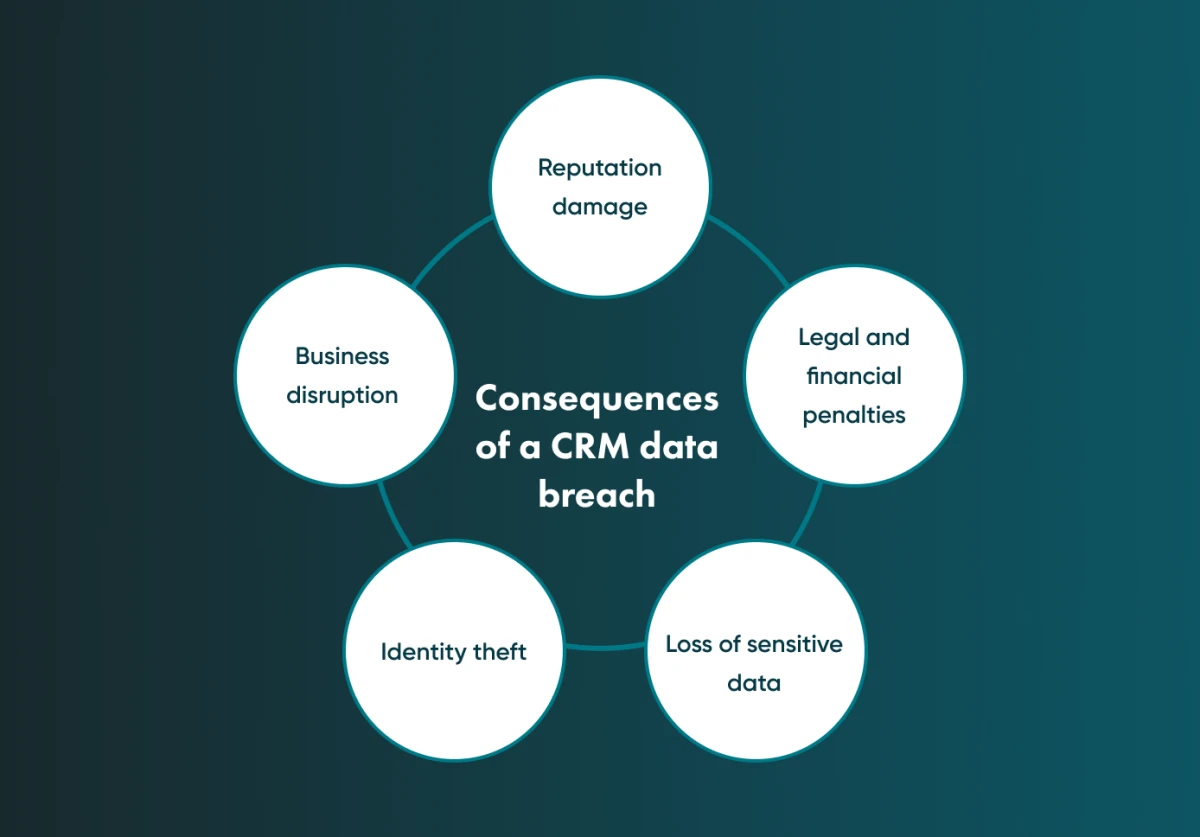
A CRM data breach affects the business, its customers and other stakeholders. The main consequences are:
Reputation damage
When customer data is compromised, customers lose trust in the business.
Lost trust means lower sales and revenue, and possibly legal action if the business was negligent in protecting customer data.
Negative publicity after a breach can hurt customer loyalty and make it harder to win new customers for a long time.
Legal and financial penalties
These penalties can be severe, mainly if the breach compromises personally identifiable information (PII) or financial data.
Legal penalties may include fines, lawsuits, and legal settlements. The amount of these penalties can vary depending on the severity of the breach, the number of affected customers, and the jurisdiction in which the breach occurred.
For example, under the General Data Protection Regulation (GDPR) in the European Union, businesses can face fines of up to 4% of their global annual revenue for noncompliance with data protection regulations.
Loss of sensitive data
A breach can expose customer names, addresses, phone numbers, financial information and other personal details.
For the business, that means penalties, reputational damage, lost customer trust and lost competitive advantage.
Identity theft
Stolen personal data can be used for identity theft and fraud, causing financial losses and damaging credit scores.
Identity theft hurts both the people whose data was stolen and the business that was supposed to protect it.
Business disruption
A breach can take the CRM system offline or leave it compromised, costing productivity and revenue. A severe breach can even force a company to shut down temporarily.
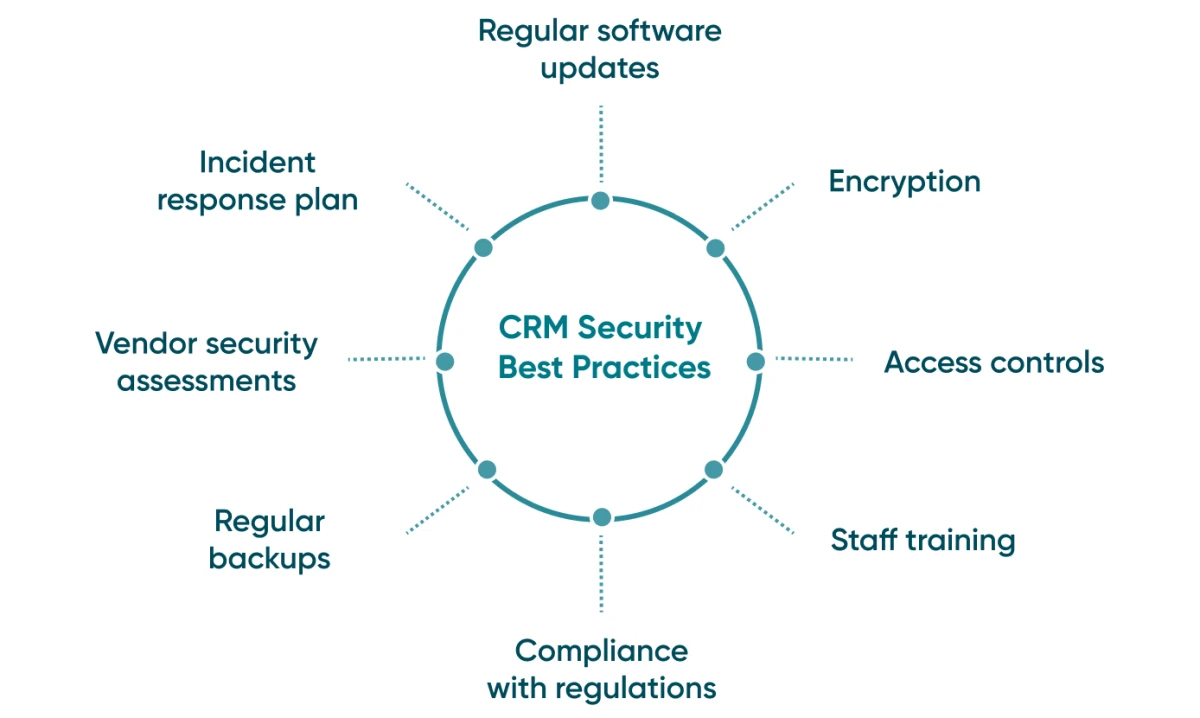
CRM security best practices: 8 steps to follow
Follow these practices to protect data in a CRM system.
1. Regular software updates
Regular updates patch vulnerabilities and protect against known threats.
Keep all software and operating systems up to date with the latest security patches, and check that each update is compatible with your CRM.
Automate updates and patches where you can, so they are applied promptly without disrupting business operations.
2. Encryption
Encrypt CRM data both in transit and at rest to prevent unauthorised access.
Use strong encryption algorithms such as AES (Advanced Encryption Standard) for sensitive data.
Avoid weak algorithms that can be easily broken. Protect data in transit with HTTPS over TLS 1.2 or later, preferably TLS 1.3. SSL is obsolete: RFC 7568 (2015) says SSLv3 must not be used, and RFC 6176 (2011) prohibited SSLv2. Avoid unencrypted protocols such as HTTP or FTP.
3. Access controls
Access controls such as two-factor authentication (2FA) and role-based permissions ensure that only authorised users can reach sensitive customer data.
Role-based access control (RBAC) limits access to sensitive data according to each employee’s job, so people see only the data they need.
Use 2FA for every employee who accesses the CRM. It requires two forms of authentication before anyone can reach sensitive data.
4. Staff training
Regular training on recognising and responding to cyberthreats helps prevent breaches caused by human error.
Everyone with access to sensitive data should know the basic data security and privacy practices.
Give employees an overview of the company’s security policies and procedures, including data access controls, password policies and incident response.
5. Compliance with regulations
As mentioned earlier, organisations should comply with data protection regulations such as GDPR and HIPAA to avoid legal and financial penalties.
Therefore, CRM security compliance remains one of the essential practices you must follow. You can find more info about GDPR and HIPAA compliance in a detailed article we previously posted.
6. Regular backups
Regular backups prevent data loss after a breach or system failure and keep the business running.
A backup is a secondary copy of your data that can be restored after loss or corruption, whether caused by hardware failure, natural disasters or cyberattacks.
7. Vendor security assessments
Many businesses use CRM software from third-party vendors, so the vendor’s security affects yours. Assess each vendor’s security practices and check that they meet appropriate standards.
A custom CRM built from scratch still depends on hosting, cloud services, libraries and integrations, so assess those providers too. A software development company like Go Wombat can build a custom CRM that follows a CRM security policy and protects sensitive data.
8. Incident response plan
Develop an incident response plan and test it regularly, so you can respond to and contain a breach quickly.
The plan sets out the steps to take after a security incident or data breach to limit the impact on the business and its customers.
How Go Wombat assists in CRM data security
Go Wombat provides cybersecurity consulting services to make CRM systems and other software more secure.
We can review your business processes, identify risks and give you a plan to mitigate them.
We follow a secure development policy, which includes code reviews to find vulnerabilities.
If needed, we also configure your security infrastructure, install a WAF (web application firewall), secure the internal network and take other relevant measures.
After deployment, our team keeps looking for vulnerabilities and helps fix any we find.
GDPR technical audits, GDPR policy development, and security awareness training are a few of our additional services that include the knowledge of our qualified CISO (chief information security officer).
Wrapping up
Start with three steps this week: enforce MFA for every CRM user, review who has admin rights, and test restoring last night’s backup.
If you have concerns about your CRM security, contact Go Wombat.
FAQ
What is customer data privacy in CRM?
It means protecting the personal and sensitive information a business collects, stores and processes about its customers in a CRM: identification and contact details, transaction history, financial data and anything else customers entrust to the company.
Why is data security important in CRM?
CRM systems store confidential information about customers and their interactions with the business.
If attackers get this data, they can use it for identity theft, financial fraud or other crimes, and the business faces reputational damage, penalties and lost customer trust.
What are the threats to CRM systems?
The main threats are:
- Phishing (fraudulent messages that pose as a trusted source to obtain sensitive information)
- Malware (malicious software that can damage, disrupt, or gain unauthorised access to computer systems)
- SQL injection (an attacker injects malicious code into a website’s SQL query)
- DDoS attacks (distributed denial-of-service attacks that aim to overwhelm a website or server with traffic, causing it to become unavailable)
- Social engineering (tricking users into revealing sensitive information, such as passwords and credit card numbers, through psychological manipulation)
Share and subscribe to our blog
Related articles

Top Cybersecurity Threats in 2023: How to Protect Your Software
Cybersecurity Ventures forecast that cybercrime would cost $10.5 trillion a year by 2025. Here are the main threats of 2023 and how to protect your software against them.

Similarities, Differences, and Everything You Need to Know About GDPR and HIPAA Compliance
If your company leverages digital tools it means that you have to comply with the regulations of the region you work in. For example, if you are gathering, storing, or processing the personal information of European Union (EU) residents, y…
Why Is the Digital Twin of an Oil Refinery the Most Complex AI System You Will Ever Build?
Why a digital twin of an oil refinery is so hard to build: seven interdependent layers from physics simulation to control system integration, results from Cosmo Oil's refinery digital twin, a look at Honeywell's planned digital-twin work at the Dangote refinery, team and data prerequisites, and why projects fail.

How can we help you?