



Spatial Computing: How to Build Applications with VisionOS?

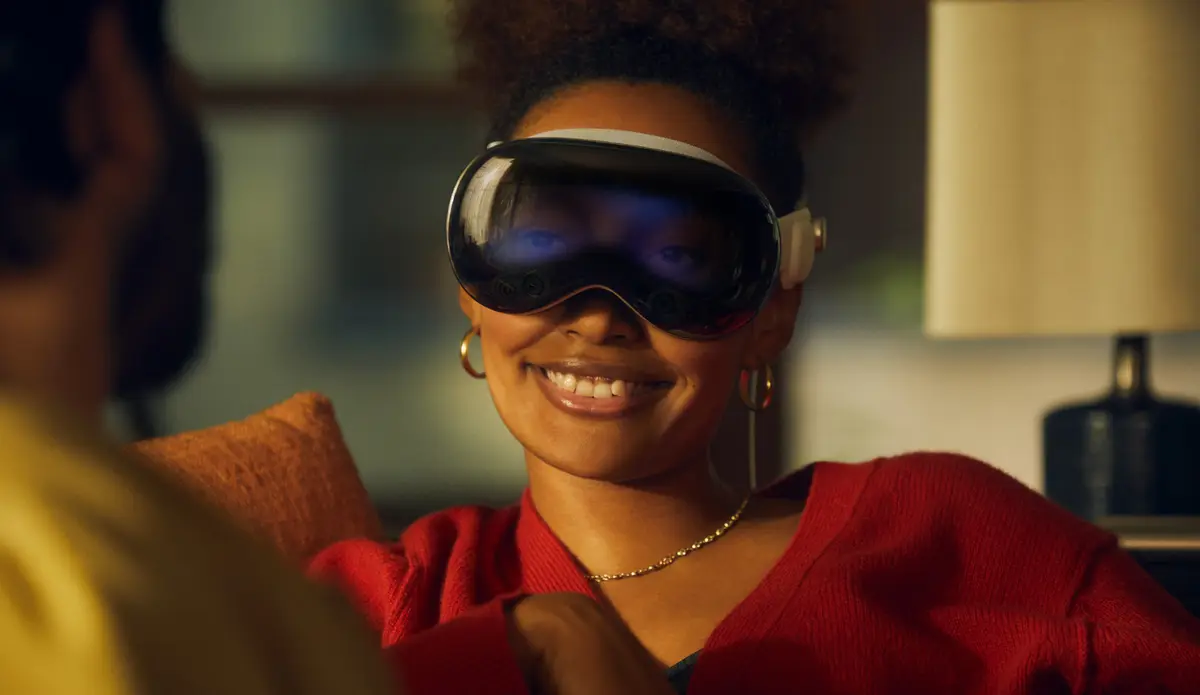
Apple Vision Pro went on sale in February 2024 and runs visionOS, Apple's operating system for spatial computing; a version with the M5 chip followed in October 2025. This guide is an introduction to visionOS software development.
It covers:
- What Apple Vision Pro and visionOS are.
- The context of spatial computing.
- The building blocks of visionOS software development.
- How to approach a visionOS project.
Vision Pro and visionOS: An introduction
What is Apple Vision Pro?
Apple positions Vision Pro as a spatial computer rather than a VR headset: by default, apps appear as windows in the room around you. Like standalone headsets such as the Oculus Quest (2019), it does not need a phone or computer to run, but it is powered by an external battery pack connected by a cable.
What is visionOS?
visionOS is the operating system of Vision Pro, built on the foundations of Apple's other operating systems.
Other spatial computing headsets existed before. visionOS stands out for its interaction design: users control it with their eyes, hands and voice.
Content in visionOS is spatial: apps have depth, can be moved and resized, and respond to the lighting in the room.
You can also replace your surroundings with an immersive environment, such as a landscape.
You are not completely cut off from the people around you either: EyeSight, a display on the front of the headset, shows them a rendering of your eyes and signals how immersed you are.
Spatial computing: the context
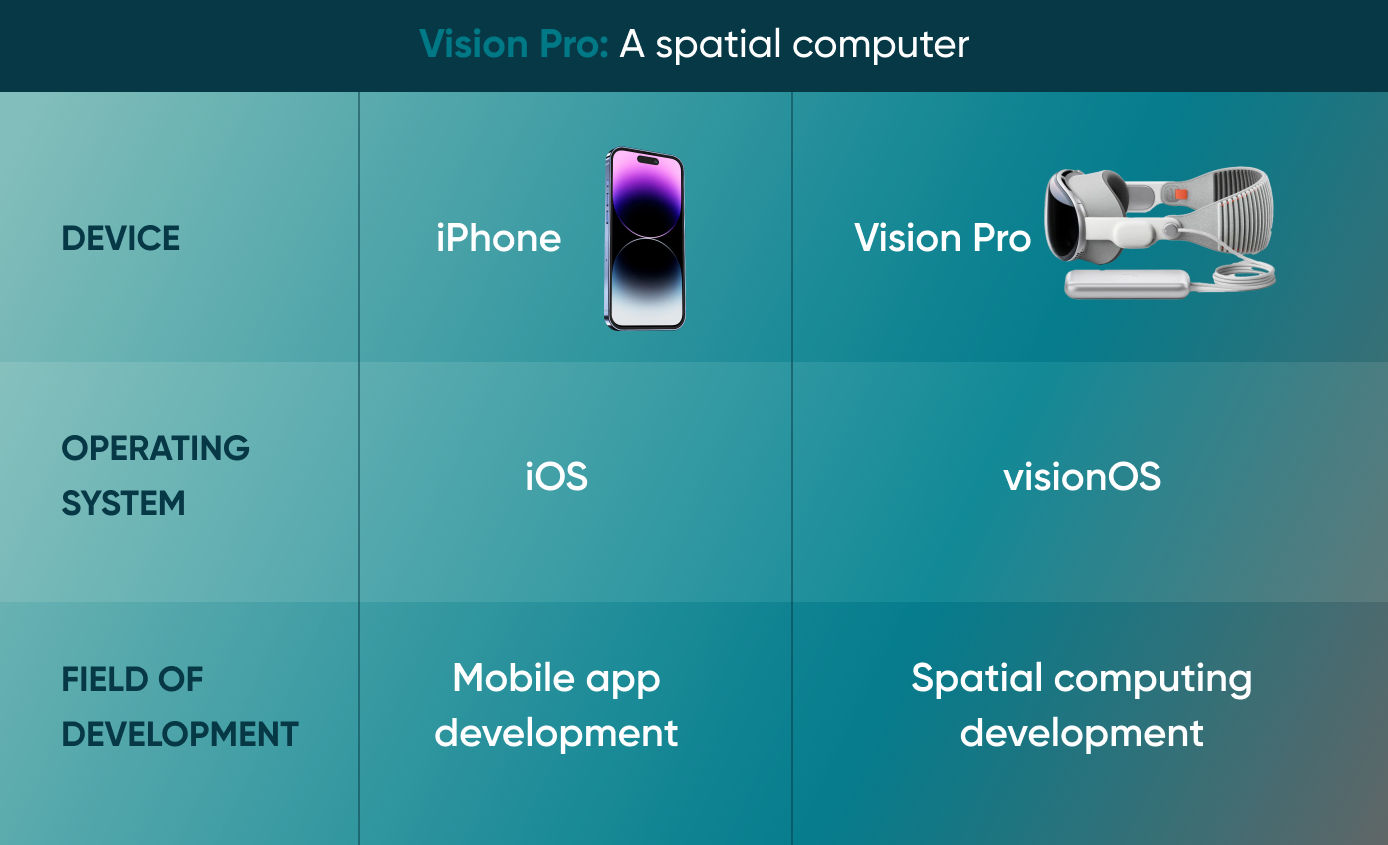
An analogy: as the iPhone is to iOS and iOS is to mobile app development, the Vision Pro is to visionOS and visionOS is to spatial computing development.
What spatial computing is
Spatial computing combines the physical and digital worlds: it overlays information on your surroundings and lets you interact with it through hand gestures, voice commands and more. It relies on sensors, cameras and tracking technology to create a 3D user interface.
Vision Pro lets users see the real world while adding layers of information and interactivity on top of it.
Building the ‘mirrorworld’
In an article for Wired, Kevin Kelly describes a ‘mirrorworld’: a world that exists in parallel to our own and is accessed through spatial computing devices, the step after smartphones.
A mirrorworld would need spatial computing glasses with high-bandwidth connections, so there is a lot of engineering work left, for example in data compression.
Spatial audio
Spatial audio lets you hear sound with depth and direction. It can guide users through the digital world like a personal assistant.
The role of AI
A mirrorworld would also need AI that can map and interpret everything the user sees, analysing data and making decisions in real time, out of sight of the user interface.
This is similar to what self-driving cars do with their surroundings, applied to people and their interactions.
It also depends on computer vision: software that scans images and video and extracts data from them.
Go Wombat already has experience with custom computer vision development services. Take a look at one of our related case studies.
The building blocks of visionOS development
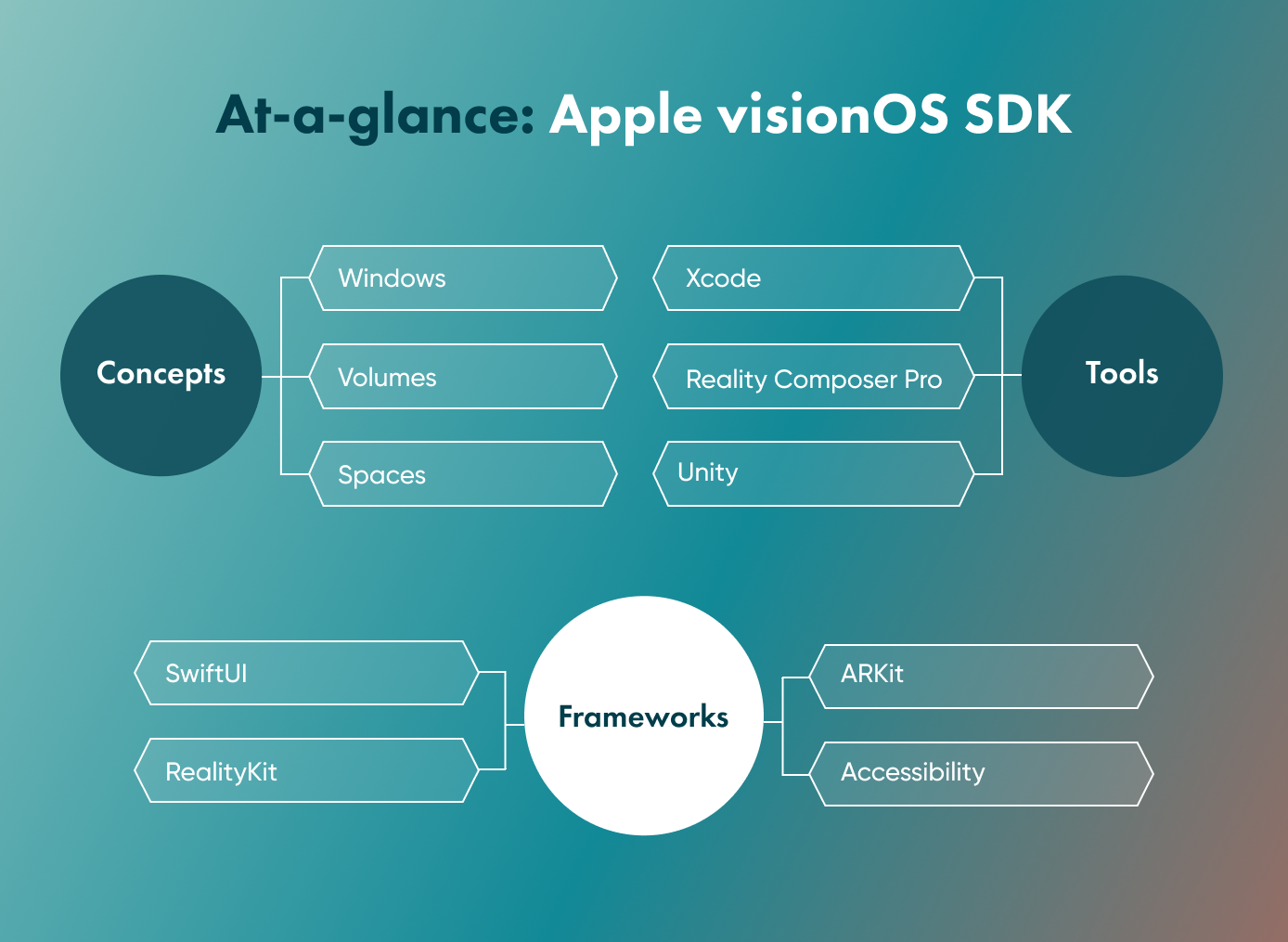
The concepts
These concepts set visionOS development apart from other platforms:
- Windows - built with SwiftUI, with traditional views and controls, and able to include 3D content.
- Volumes - SwiftUI scenes for 3D content, built with RealityKit or Unity.
- Spaces - windows and volumes are shown in one of two kinds of space:
Shared Space - the default when an app launches; several apps sit side by side, like apps on a desktop. Full Space - shows only that app's content, for a fully immersive experience.
The frameworks
The following frameworks are available as part of Apple’s software development kit (SDK):
- SwiftUI - the base for creating apps for the Vision Pro
- RealityKit - Apple's engine for 3D rendering, integrated with the above (also referred to as a 'renderer')
- ARKit - for blending the real world with content, able to understand surroundings
- Accessibility - for using eyes, voice, or a combination of both to interact with the device
The tools
The main development tools:
- Xcode - starting point for development, previews for iterations, allows tests and visualisations
- Reality Composer Pro - integrated with Xcode, helps you prepare your 3D assets and preview them
- Unity - build new apps or port existing Unity projects to visionOS.
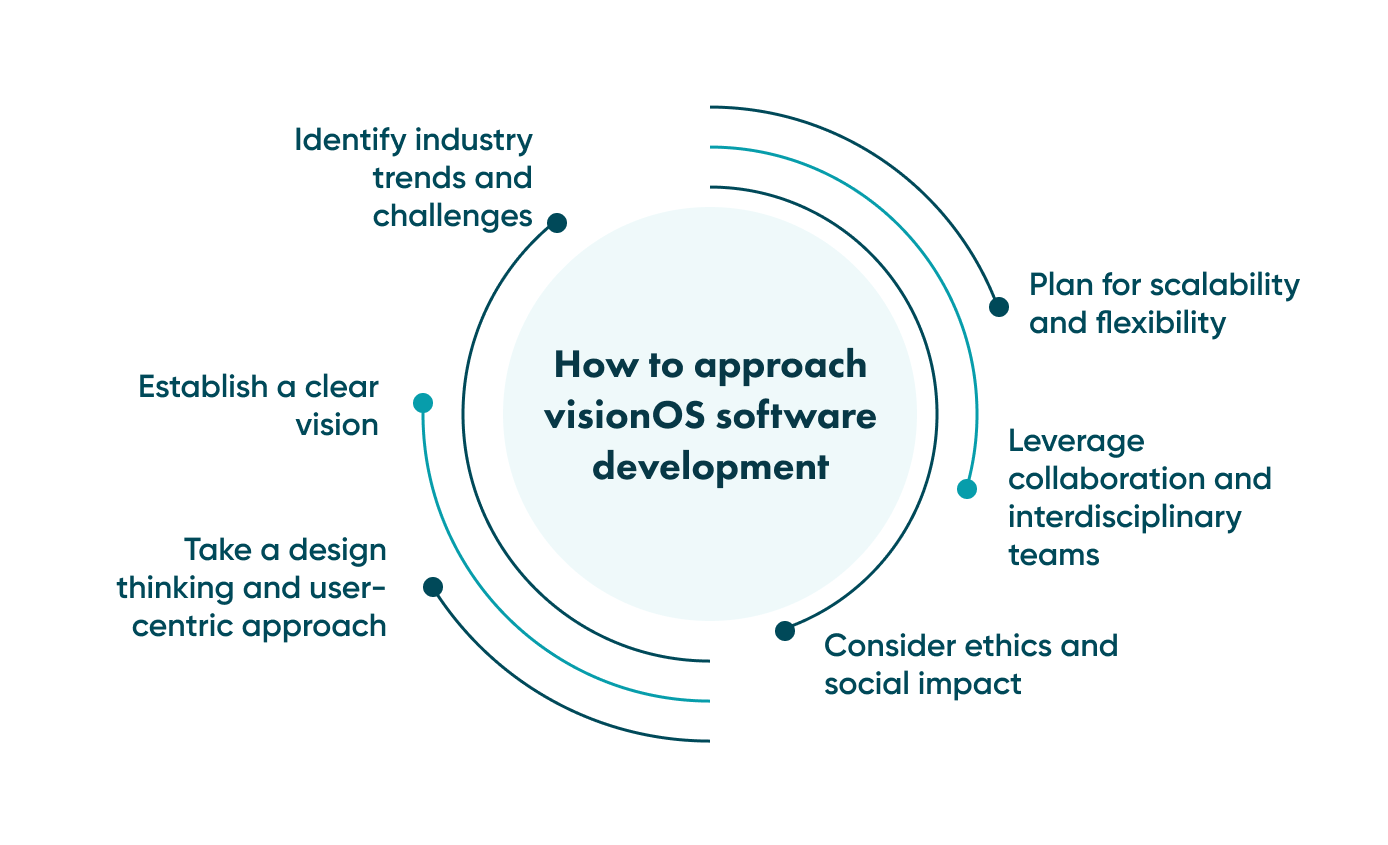
How to approach visionOS software development
Before writing code, developers and businesses should settle a few questions.
Identify industry trends and challenges
Before building for visionOS, check whether your target users own or will buy a Vision Pro, and what they would use it for.
Two ways to find out:
- Conduct market research
- Base decisions on data rather than hype
Establish a clear vision
Write down what the app is for, who it serves and how you will measure success, and check that against your business objectives before development starts.
Take a design thinking and user-centric approach
Spatial interfaces are new to most users, so test with them early and often.
Involve users through:
- User research - to understand their needs, pain points and behaviour before designing.
- Prototyping - to test and refine the design based on their feedback.
Plan for scalability and flexibility
visionOS runs apps on the device itself. Scalability is a question for your app's backend, if it has one: size it like any mobile backend.
For that backend, the usual options apply:
- Microservices architecture - lets different parts of the backend scale independently.
- Scalable infrastructure - servers and databases that can grow with the user base.
- Cloud computing - cloud hosting gives the backend flexible capacity. It is part of your app's architecture, not of visionOS itself.
- Adaptability - design the app so new features and requirements can be added without a rewrite.
Build an interdisciplinary team
Like any project, a visionOS app needs developers, designers, product managers and domain experts working closely together.
Consider ethics and social impact
A headset that sees the user's surroundings and tracks their eyes and hands handles sensitive data. Privacy, security and inclusivity need to be part of the design from the start.
Final thoughts: visionOS software development
Businesses can use spatial computing for immersive customer experiences and for internal work such as training, performance assessment and remote equipment repair, in industries from manufacturing and logistics to property and construction management.
If you are planning a visionOS app, see our visionOS software development services or set up a consultation.
At Go Wombat, business analysts, project managers, solution architects, cybersecurity officers, testing engineers, developers and designers work together to provide a full range of software services and consulting.
Share and subscribe to our blog
Related articles

Why Is the Digital Twin of an Oil Refinery the Most Complex AI System You Will Ever Build?
Why a digital twin of an oil refinery is so hard to build: seven interdependent layers from physics simulation to control system integration, results from Cosmo Oil's refinery digital twin, a look at Honeywell's planned digital-twin work at the Dangote refinery, team and data prerequisites, and why projects fail.

How RAG Helps AdTech Platforms Reduce Campaign Data Hallucinations
RAG helps AdTech platforms reduce AI hallucinations by grounding outputs in real campaign data, making reporting, attribution and recommendations more accurate and auditable.
Native vs Cross-Platform Mobile Development: How to Choose in 2026
Compare native, Flutter and React Native development to find the right approach for your mobile product based on performance, cost, speed and scalability.

How can we help you?

